 Tabulary
Capture
Save the whole window in one click
Forty tabs become one tidy collection. Close them as you go, and reopen exactly the ones that closed if you change your mind.
Tabulary files your open tabs into boards and collections that live on your own machine. Save a whole window in one click, find anything in a second, and pick up exactly where you left off.
Free, all of itNo account neededNothing leaves your deviceAlso in Brave
Save fast, find faster, and keep the things you’re not done with within reach, from a new tab, a toolbar popup or the side panel.
Forty tabs become one tidy collection. Close them as you go, and reopen exactly the ones that closed if you change your mind.
Saved tabs show up first. Press Enter and it searches the web as usual.
A clock, a greeting, shortcuts and one search box, on a color, a gradient or your own photo.
The toolbar button opens a small Tabulary. Dock it in the side panel and it stays beside whatever you’re reading.

Capture a window as a session, then bring it back into the current window, a new one, or a collection.

Park a page in the Review queue, then file it or let it go when you have a minute.

Write a rule once and matching tabs gather on their own: by site, by tag, by what they say.

Tag what matters, then narrow a board to favourites or to any, or all, of your tags.

See every link you saved twice, keep the copy you want and merge the rest.

Import from Toby, OneTab, or your browser’s bookmarks, with their icons.
Pick a complete look in one click, or mix any background with any main color. Tabulary can follow your system, too.
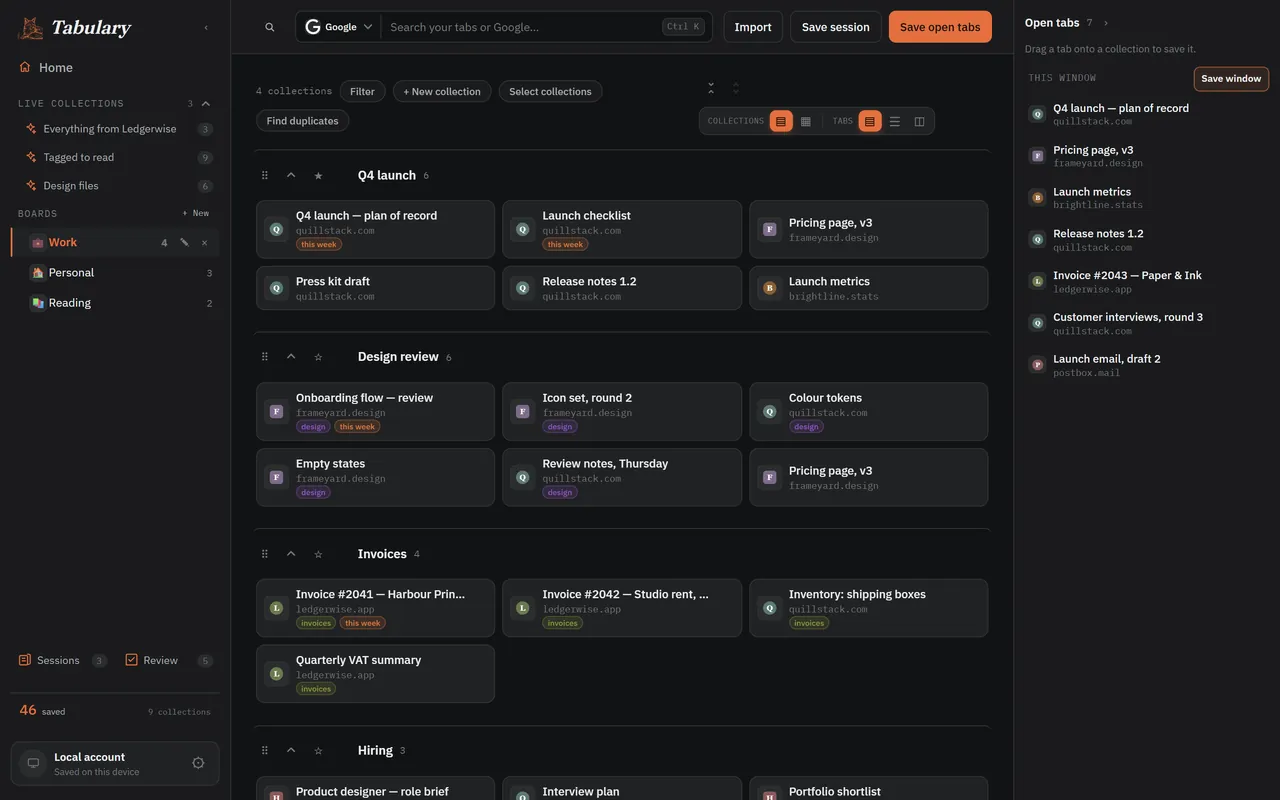
Real screens, made-up tabs. No voice-over.
Everything else in Tabulary, from Home to the popup to sessions and rules, is another way of getting at these.
Holds collections, carries its own layout, and can be reordered by dragging. Make one per project, or per part of your life.
Holds saved links, takes an icon and a color, and moves between boards intact.
A title, a URL, a favicon and whatever tags you give it. Never a copy of the site itself.
Open Tabulary from any page, the same as clicking its toolbar button.
In the popup or side panel, jump to search. Or just start typing.
Type it in the address bar, then a space, to search saved links without opening anything.
Search the library from inside Tabulary. ⌘⇧K on a Mac.
The extension has no analytics, no ad network, and sells or shares nothing. It works fully offline, and even its fonts are built in. This website counts page views, without cookies, and that is all.
Everything you save goes into IndexedDB in your own browser. Tabulary reads a tab’s title and address only when you ask it to save it.
Backup asks for drive.appdata, a narrow permission for one hidden folder that belongs to the extension. It can’t see your files, and you can revoke it or delete that folder any time.
Email-and-password sign-in is identity only: your tabs stay on the device. The privacy policy lists every permission and why it is asked for.
Read the full privacy policy.
Yes, all of it. There are no tiers, no limits on how much you keep, and no ads. If it earns a place in your day, sponsoring it is how it stays that way.
No. Everything works without one. You only sign in with Google if you want backup to your own Drive.
In your browser, on your device. If you turn on backup, a copy goes to a hidden folder in your own Google Drive, which only Tabulary can open.
Chrome, Edge, Brave and Firefox 140 or later. The side panel is a sidebar in Firefox.
Yes. Settings → Import takes a Toby export, a OneTab export or any pasted list of links, and your browser’s bookmarks, with their icons.
Any time. Settings → Export writes your whole library to a file you keep, and a collection’s links can be copied as Markdown.
A saved tab is a link, not an open page, so it uses no memory. That’s the point: close the tab, keep the place.
Free, private, and ready in a minute. A short guided start shows you around.